Invoice and reminder creation, including reminder fees
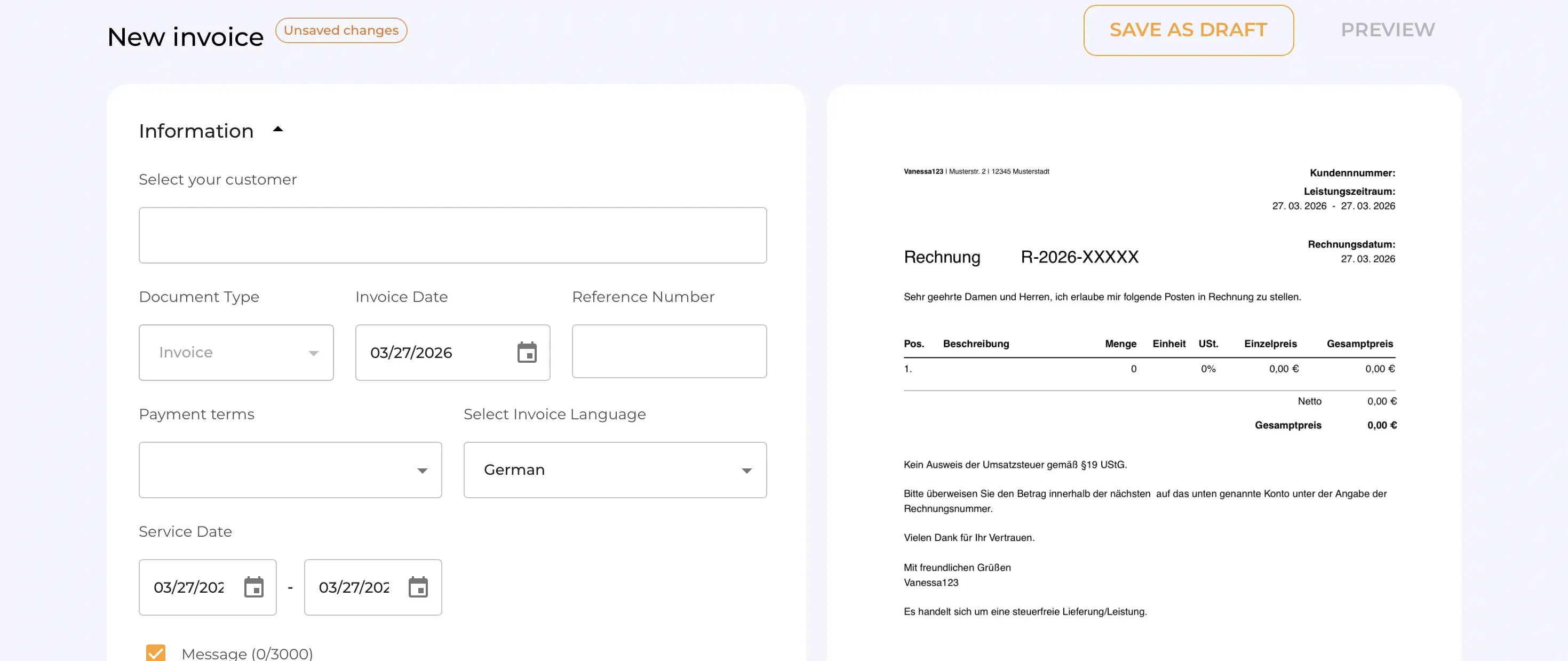
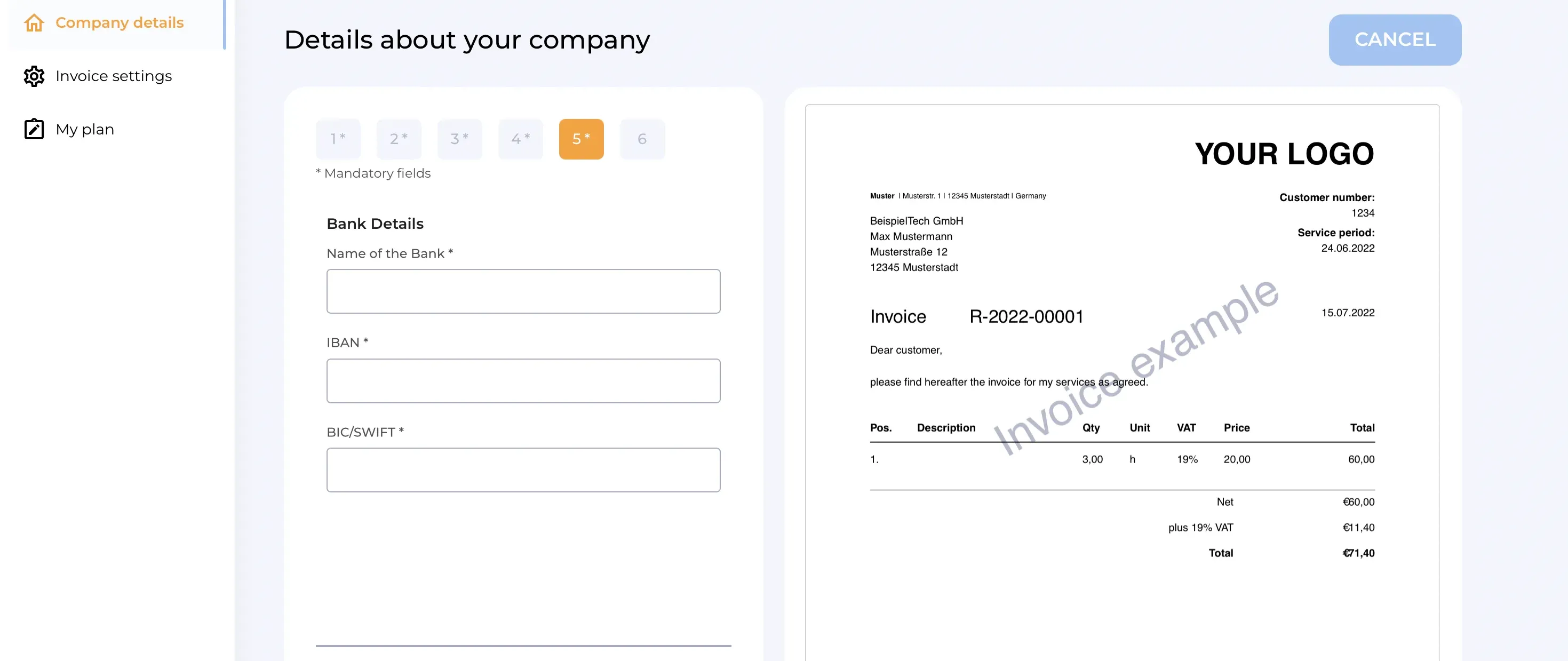
Create invoices and reminders in no time, whether you are working on a PC, tablet, or smartphone. The user-friendly interface guides you step by step to a professional, legally compliant invoice that includes all required information.
With just one click, you can send finished invoices directly to your customers by email or download them as a PDF or e-invoice. This saves time and helps you keep track of your finances at all times.
Your company details, such as your company name, address, and tax number, only need to be entered once in your account. Everything else, from units of measurement and tax rates to custom additional text, can be adjusted flexibly for each invoice.
Reminders, including reminder fees, can also be sent immediately. And if you ever need assistance, you will find helpful tips about BillStore in our FAQ section and tutorials.
Customer management

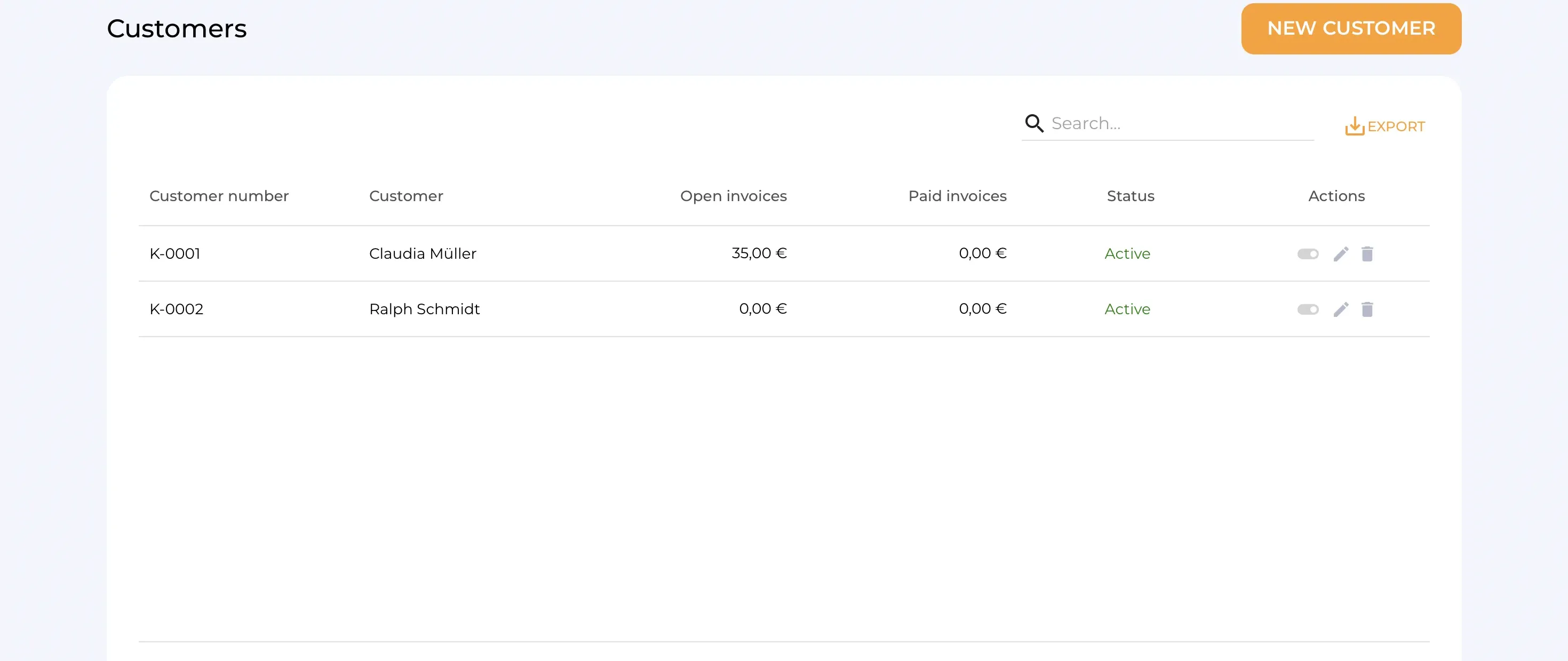
Keep your customers and their invoices perfectly organized at all times. In BillStore, you can create customer profiles with all relevant master data, and once they are saved, you can select them for new invoices with just one click. The stored data is transferred automatically, quickly, accurately, and conveniently.
BillStore also provides practical tools for managing invoices, reminders, and payments for each customer. This gives you a clear overview of your customer relationships and outstanding items at all times. You will also find helpful guidance on customer management in BillStore in our FAQ section and tutorials.
Product and service management
When creating invoices, you can enter each invoice item manually.
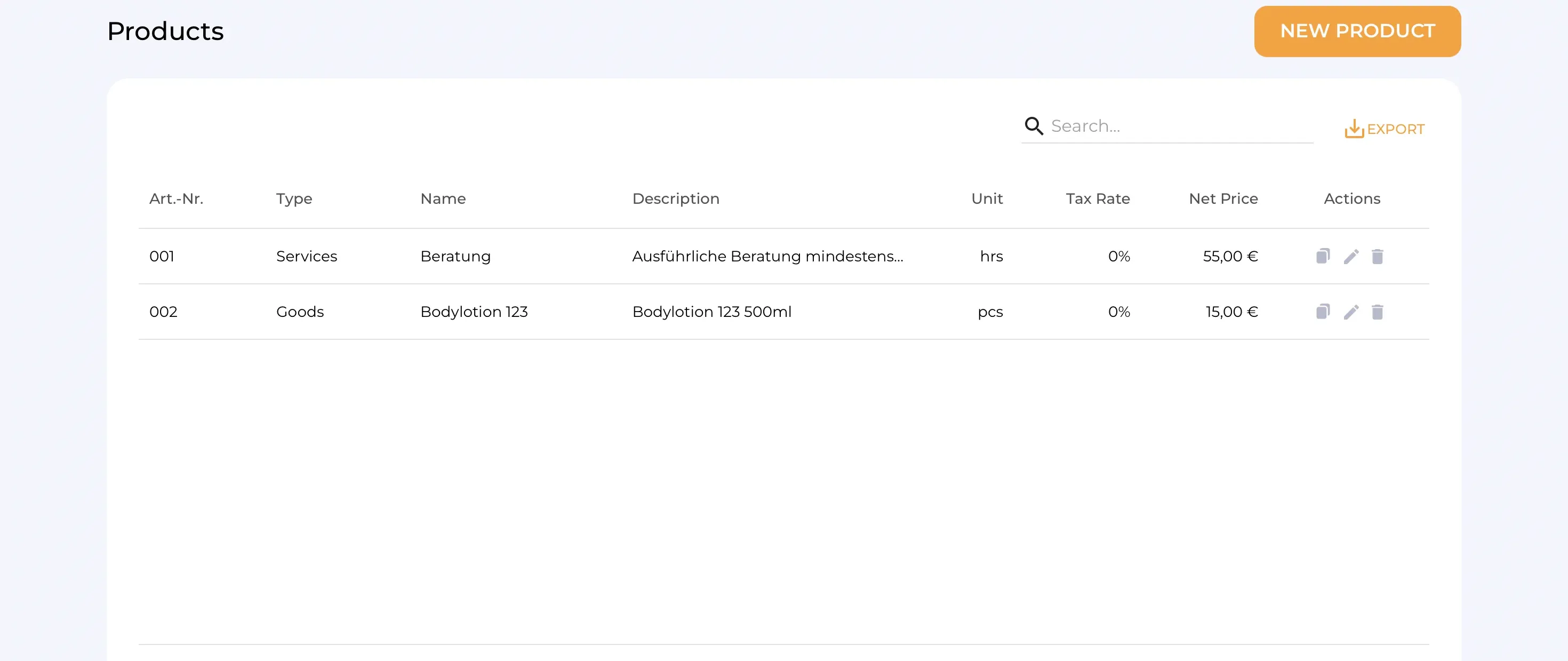
If you regularly use the same products and services, it makes sense to save them in the database. When creating an invoice, you simply select the relevant product, and the invoice item is automatically filled in with all stored information. Manual adjustments are, of course, still possible. Helpful tips can be found in our FAQ section or tutorials.
Dashboard and data export

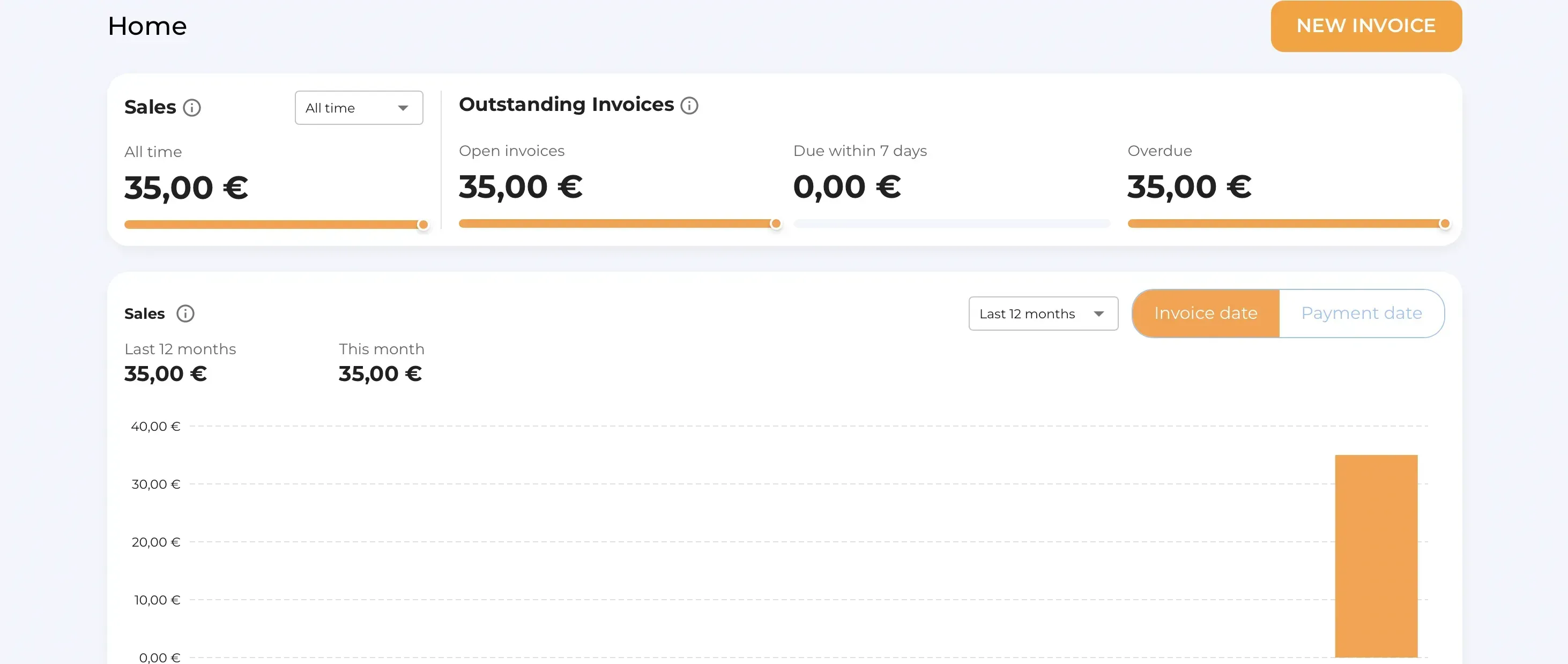
Creating invoices is important, but so is efficient accounting. BillStore offers various ways to export invoices and data quickly and easily.
For a clear overview and better analysis of your business, you can also use our intuitive dashboard.
You can learn where to find each function in our FAQ section and in our tutorial.
Additional features

To make the mentioned basic functions run almost automatically, BillStore is equipped with numerous powerful features:
- User interface available in German or English
- Invoice creation in German and/or English
- Sending and exporting invoices as PDF and/or e-invoice
- Visualization of e-invoices (also foreign)
- Real-time preview for invoices and reminders
- Optimized design for mobile devices
- Automatic adjustment of the footer to your respective legal form
- Manual payment reconciliation
- Integration of your own company logo
- Overview of all created documents
- Automated payment reconciliation through the integration of your bank account
- Integration of an AI assistant for even faster and easier invoice creation
Customer Service
support@billstore.net
We respond within 24 hours on business days.